
Review and Tests – Devolo dLAN® 500 Wi-Fi Network Kit
Package Contents:
dLAN® 500 WiFi powerline adapter — 3 pcs.
Patch cord (approx. 2 m) — 1 pc.
Installation guide — 1 pc.
Software CD — 1 pc.
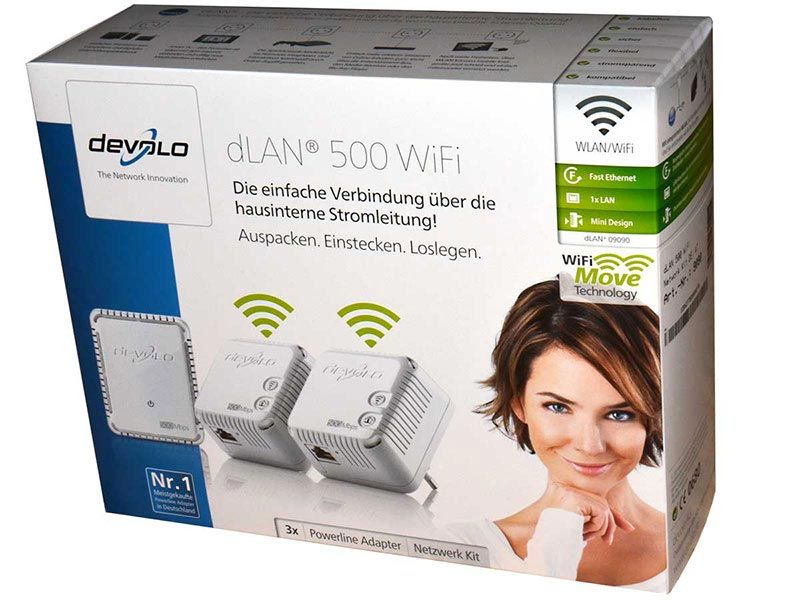
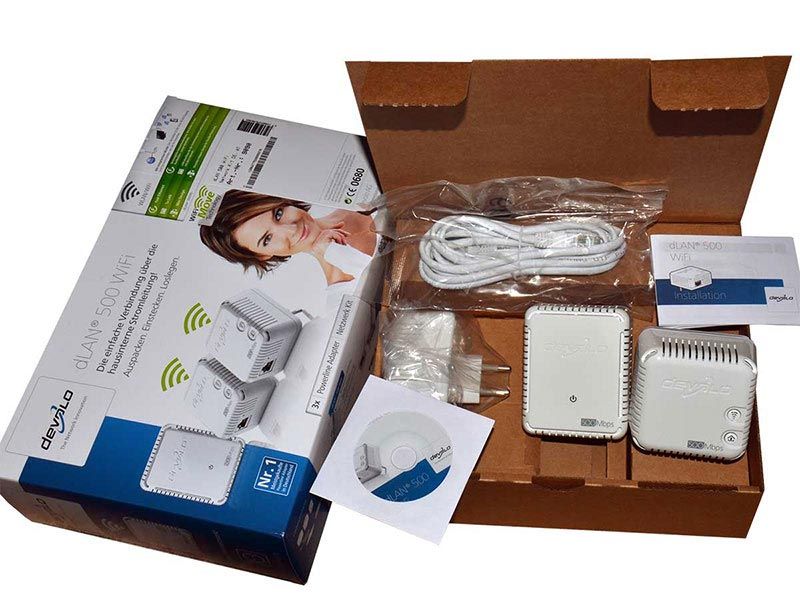
The packaging is solid but otherwise ordinary; there is little to add.
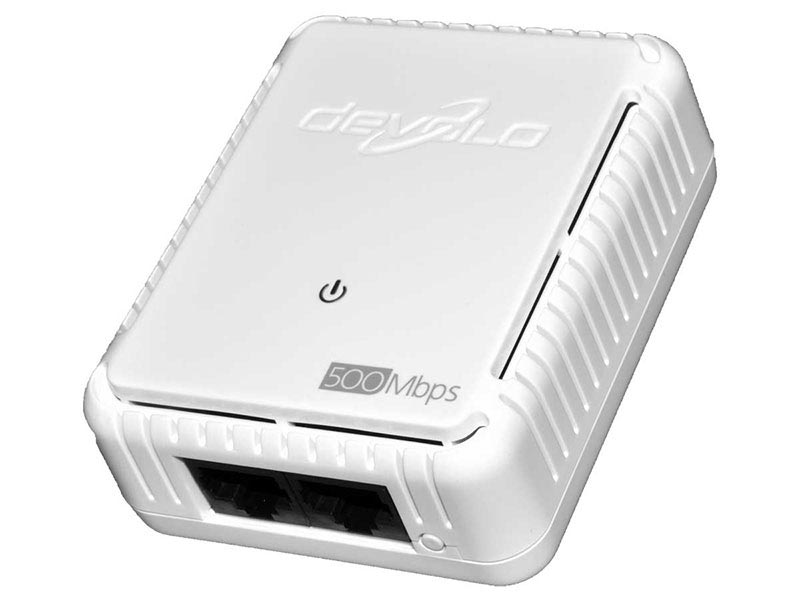
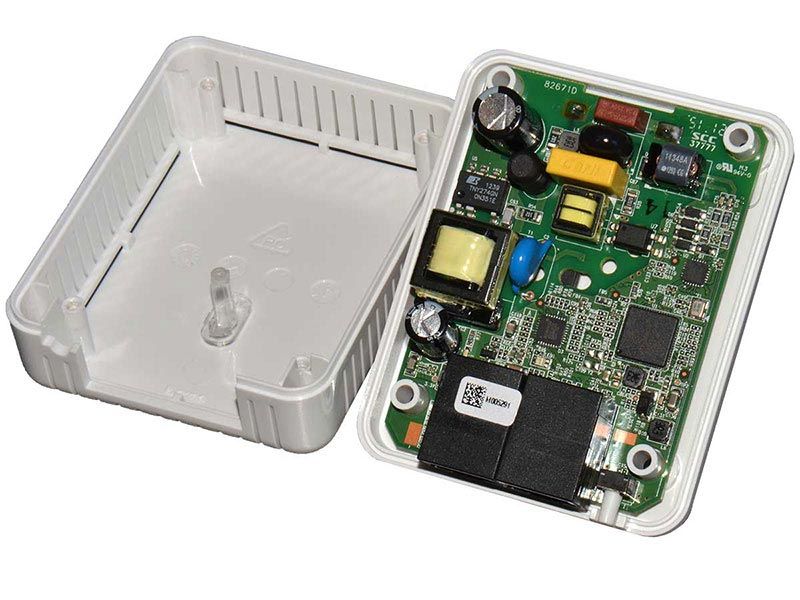
This is one dLAN® 500 powerline adapter (without Wi-Fi). Build quality, as usual for DEVOLO, is excellent. The enclosure is made of strong, rigid white plastic. The edges are clean and the mating surfaces fit tightly together. There are no squeaks or play under pressure. Components are neatly installed and the solder joints look reliable. Compared with the Devolo dLAN® 500 AVplus, the components are considerably smaller and the adapter itself is roughly half the size (although it does not include a pass-through power socket).
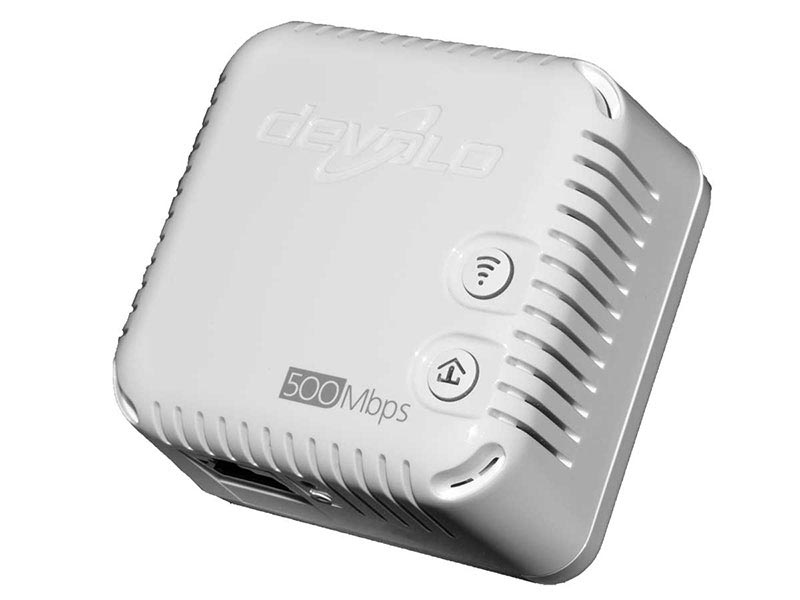
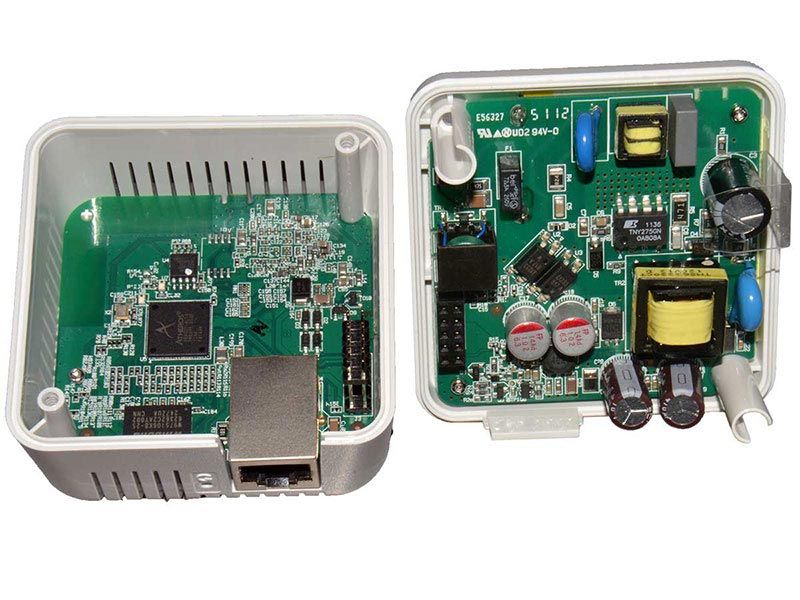
dLAN® 500 powerline adapter (with Wi-Fi).
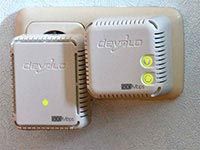
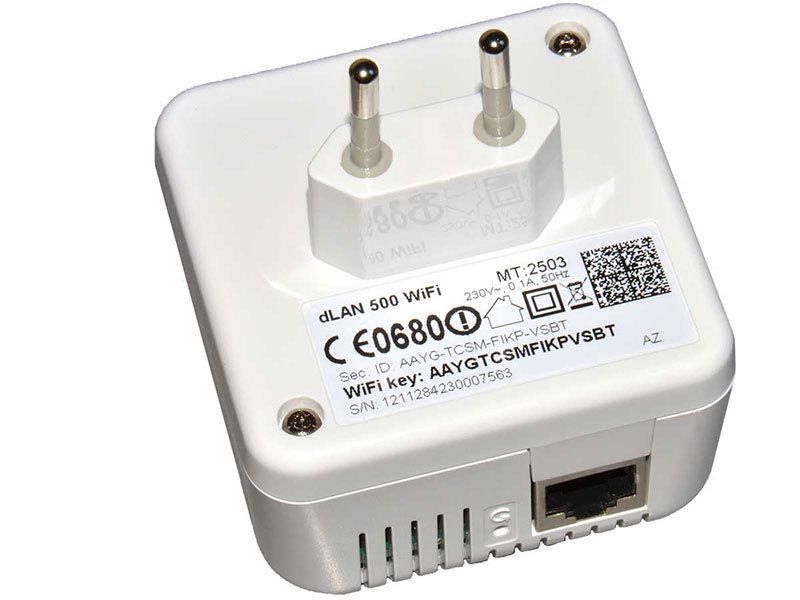
The powerline adapters detected one another within a few seconds. No configuration was required. The indicators showed three available networks: one powerline network and two Wi-Fi networks. A useful feature is the ability to disable the fairly bright indicator LEDs in software, so they are not distracting at night. Automatic Wi-Fi setup works very well: about five seconds after pressing the automatic setup button, the network is active and the devices are linked. You can also scan the QR code or simply enter the password printed on the adapter label to connect another device.
Test Configuration:
Test Configuration:
Compared with the previous test
“Review and Tests – Devolo dLAN® 500 AVplus Network Kit”
the test configuration changed slightly:
Distances (same as in the previous test):
Pc-1 — Router — 2 m (patch cord)
Pc-2 — Router — approx. 6.5 m (straight-line distance),
opposite walls of adjacent rooms.
Pc-1
MB: Gigabyte GA-X58A-UD7,
CPU: QuadCore Intel Core i7 930 2.80GHz (3.78GHz),
RAM: 24 GB DDR3 1333 MHz,
HDD: 120 GB, Intel® Solid-State Drive 520 Series, (SATA 6Gb/s, 550 MB/s / 500 MB/s),
Microsoft Windows 7×64 Corp. SP1.
Router
Linksys E4200 (Gigabit Router)
Pc-2 Sony VAIO Z21X9R laptop
CPU: Intel Core i5-2410M 2300 MHz,
RAM: 4 GB DDR3 1333 MHz,
HDD: 2 × 64 GB SSDs combined in RAID 0,
Microsoft Windows 7×64 Pro.
Patch Cords
2 m (included) and 8 m (copper, shielded, undamaged)
File: 1 file (451 244 032 bytes)
Folder with files: 14 files (342 885 258 bytes).
No firmware updates were available at the time of testing.
The tests were performed with the factory firmware.
Tests:
A simple and transparent method was used to determine transfer speed:
copy a file / folder of files and measure the copy time.
Divide the file / folder size by the elapsed time to obtain the transfer rate.
Each measurement was performed three times and the results were averaged.
For the calculations, 1 megabit = 1048576 bits = 131072 bytes.
Tests:
Test No. 1
Ethernet cable connection.
To check for and rule out possible bottlenecks in the test configuration, tests were first performed over Ethernet cable.
(Pc-1 → patch-cord → Router → patch-cord → Pc-2).
Measurement results:
1. Copying 1 file = 729.25 Mbit/s
2. Copying a folder of files = 588.70 Mbit/s
Copying many files is somewhat slower than copying a single file.
Test No. 2
Powerline adapters connected to the same outlet (adjacent sockets) —
“IDEAL” connection.
Measurement results:
1. Copying 1 file = 78.27 Mbit/s
2. Copying a folder of files = 61.43 Mbit/s
Test No. 3
Powerline adapters connected to wall outlets (different rooms).
Measurement results:
1. Copying 1 file = 67.50 Mbit/s
2. Copying a folder of files = 55.64 Mbit/s
Because the difference between copying one file and a folder of files was already known
(about 20%), the remaining tests used a single file only.
Test No. 4
Connection via IEEE 802.11n Wi-Fi (theoretical maximum speed up to 600 Mbit/s; a Trendnet TEW-648UBM adapter was used).
Measurement results:
1. Copying 1 file = 44.14 Mbit/s
Copy speed over IEEE 802.11n Wi-Fi
is only slightly lower than with the powerline adapters.
Results:
| Test Results Summary | ||
| Connection | 1 file | folder (14 files) |
| Ethernet cable | 729.25 Mbit/s | 588.70 Mbit/s |
| “ideal” (adjacent sockets of the same outlet) | 78.27 Mbit/s | 61.43 Mbit/s |
| wall outlets (different rooms) | 67.50 Mbit/s | 55.64 Mbit/s |
| TV / media server | sufficient speed | |
| IEEE 802.11g Wi-Fi | not tested | |
| IEEE 802.11n Wi-Fi | 44.14 Mbit/s | |
Conclusions:
- actual speed is about 65 Mbit/s, which is sufficient for comfortable everyday use;
- it is advisable to update the powerline adapter firmware before use;
- copy speeds for a single file and a folder of files differ only slightly;
- in this setup, connection arrangement had little practical effect on speed;
- a TV or media server can be used without problems;
- the adapters in the kit can be used in any combination;
- Wi-Fi performance approaches the speed achieved over the powerline link;
- Wi-Fi can be disabled if only the powerline network is needed.
A very convenient and useful device
with an excellent balance of features.